The Silkland DP80 DisplayPort Cable review centers on a specific setup need: a short DisplayPort connection for a high-refresh gaming display and a compatible graphics card.
Its 1.6-foot length and DP80 bandwidth make it a compact option, provided the rest of the system can use the cable’s higher-end modes.
Silkland DP80 Cable Review Summary
The quick verdict
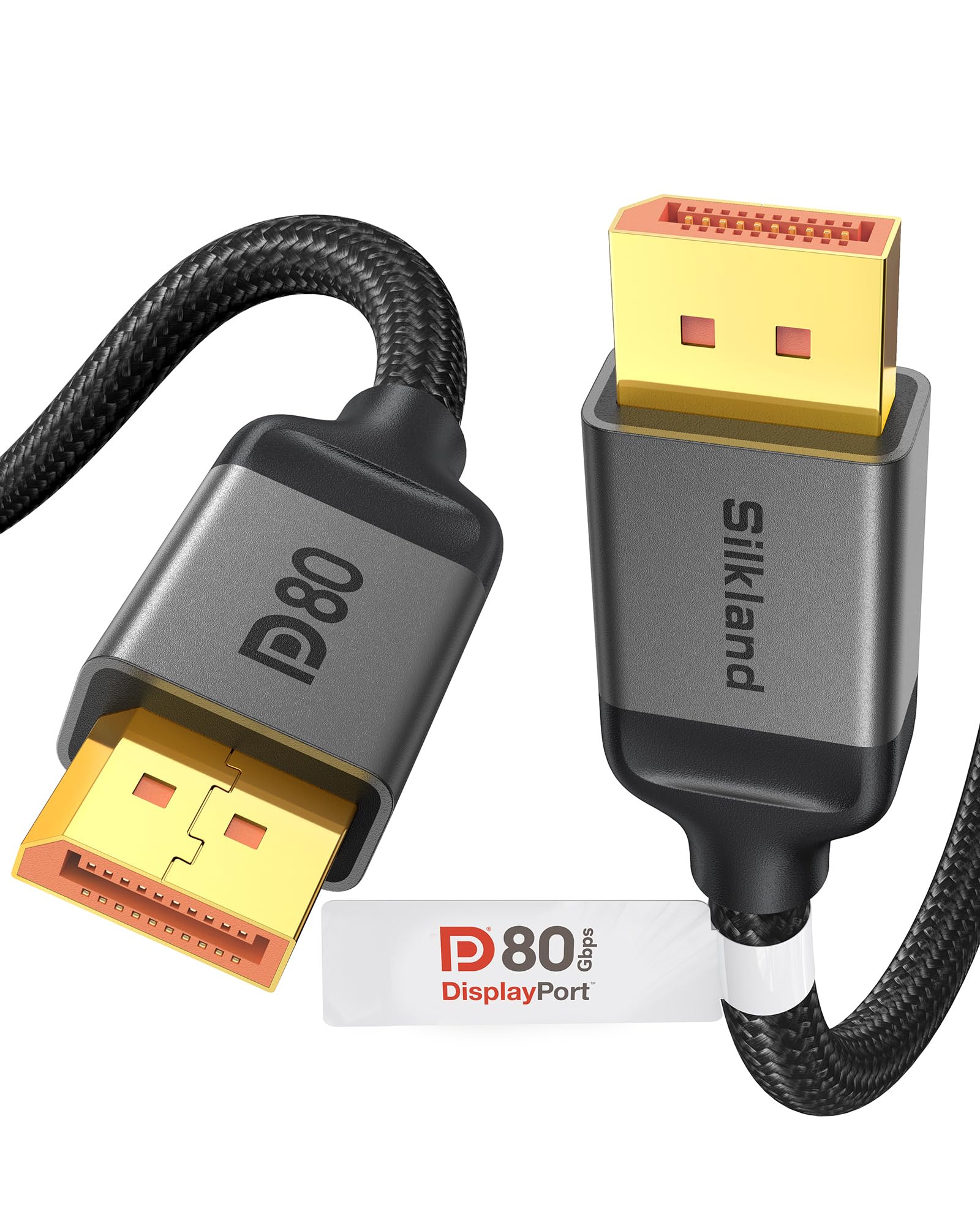
2,000+ ratings
Read Amazon ReviewsSilkland DP80 DisplayPort Cable
A short VESA-certified cable for gamers connecting DisplayPort 2.1 equipment at a desk, with less slack and wide bandwidth headroom.
- VESA-certified DisplayPort 2.1 cable with up to 80Gbps bandwidth and UHBR20 support.
- Supports uncompressed resolutions and refresh rates up to 4K at 240Hz, 8K at 60Hz, and 2K at 540Hz.
- With DSC enabled, listed modes extend to 16K at 60Hz, 8K at 240Hz, and 4K at up to 540Hz.
- Includes VRR, FEC, ALLM, DSC 1.2a, MST, dynamic HDR10+, 3D, and HDCP 2.3 support.

Pros
- High bandwidth and a broad range of listed resolution and refresh-rate modes.
- VESA certification gives buyers a concrete compatibility standard to look for.
Consider before buying
- At 1.6 feet, it may be too short for a tower placed under or beside a desk, depending on port locations and cable routing.
- The highest bandwidth modes rely on compatible source and display hardware; the cable cannot add those capabilities to either device.
Read the full review summary
This cable’s defining strengths are its VESA certification, 80Gbps bandwidth, and support for uncompressed 4K at 240Hz, 8K at 60Hz, and 2K at 540Hz.
With Display Stream Compression enabled, its listed ceilings rise to 16K at 60Hz, 8K at 240Hz, and 4K at up to 540Hz.
It also supports gaming features such as VRR, ALLM, FEC, and DSC 1.2a, along with multi-stream transport for multi-monitor setups.
The 1.6-foot cable is best suited to a close connection between a desktop graphics card and a nearby monitor, where extra length would create clutter.
Its capacity depends on both connected devices: the product description recommends DisplayPort 2.1 UHBR20 on the graphics card and monitor for the intended top-end bandwidth.
Buyers with a longer cable route or older equipment should check their setup’s port capabilities and required reach before choosing it.
The buying factors
Silkland DP80 Cable Scorecard
Editorial scores reflect listed features and buyer fit; they are not laboratory measurements or customer ratings.
Bandwidth headroom
80Gbps and UHBR20 support offer substantial bandwidth for compatible high-resolution, high-refresh setups.
High-refresh support
The listed uncompressed modes include 4K at 240Hz and 2K at 540Hz, with higher ceilings when DSC is enabled.
Gaming features
VRR, ALLM, FEC, DSC, and G-Sync and FreeSync support address common gaming display needs.
Build details
Tinned copper conductors, triple shielding, gold-plated connectors, and a nylon exterior are practical durability and signal-design features.
Setup flexibility
Backward compatibility broadens its use, but the short 1.6-foot length limits placement options.
Multi-monitor use
MST is supported, though the cable alone cannot determine how many displays a particular system can run.
Key Features and Specifications of Silkland DP80 Cable
- VESA-certified DisplayPort 2.1 cable with up to 80Gbps bandwidth and UHBR20 support.
- Supports uncompressed resolutions and refresh rates up to 4K at 240Hz, 8K at 60Hz, and 2K at 540Hz.
- With DSC enabled, listed modes extend to 16K at 60Hz, 8K at 240Hz, and 4K at up to 540Hz.
- Includes VRR, FEC, ALLM, DSC 1.2a, MST, dynamic HDR10+, 3D, and HDCP 2.3 support.
- Backward compatible with DisplayPort 2.0 and 1.4, and supports uncompressed 7.1, 5.1, and 2.0 audio pass-through.
- Male-to-male connectors, 1.6-foot length, latch-free plug design, 24K gold-plated contacts, 28AWG tinned copper conductors, triple shielding, and a nylon exterior.
Pros and Cons of Silkland DP80 Cable
Pros
- High bandwidth and a broad range of listed resolution and refresh-rate modes.
- VESA certification gives buyers a concrete compatibility standard to look for.
- Gaming-focused features include VRR, ALLM, DSC, and G-Sync and FreeSync support.
- The compact length can keep a nearby PC-to-monitor connection tidy.
- Nylon exterior, triple shielding, and gold-plated connectors round out the construction details.
Consider before buying
- At 1.6 feet, it may be too short for a tower placed under or beside a desk, depending on port locations and cable routing.
- The highest bandwidth modes rely on compatible source and display hardware; the cable cannot add those capabilities to either device.
- For multi-monitor use, display output support and configuration on the connected system still need to match the intended setup.
Who Should Buy Silkland DP80 Cable?
Good fit
Consider the Silkland DP80 if your gaming PC and monitor sit close together and you want a short cable with bandwidth for demanding refresh-rate targets.
Its stated 80Gbps capacity and support for UHBR20 make it a strong fit for a system built around DisplayPort 2.1, while backward compatibility gives it a path to older DisplayPort equipment.
Before ordering, check the distance from the PC’s DisplayPort output to the monitor input, allowing for the route the cable needs to take.
Then confirm the modes you want are supported by both devices; the product’s maximum figures describe possible configurations, not a guarantee that every PC and screen can reach them.
The construction details may also appeal if the cable will be connected and disconnected regularly.
Its latch-free connector is designed to plug in without a release catch, while the nylon exterior and shielding provide practical design considerations for a compact desk setup.
Who should skip it
Choose a longer cable if your PC and monitor are separated by more than this short lead can comfortably span. Measure the actual route, including bends and movement, rather than relying only on the straight-line distance.
Look elsewhere if you need a particular display mode from hardware that does not support it. Confirm the graphics card, monitor, and any enabled compression settings can handle your target resolution and refresh rate before buying.
What the Silkland DP80 Cable Means for a Gaming Setup
Bandwidth and display modes
The DP80 designation is paired with a stated 80Gbps data rate and support for UHBR20.
That bandwidth gives compatible hardware room to use demanding modes: the listed uncompressed figures include 4K at 240Hz and 8K at 60Hz, while DSC enables higher listed ceilings. Treat those numbers as system-dependent limits.
The graphics card, monitor, selected timing, and compression support all shape the mode that can actually be used.
Why the 1.6-foot length matters
A short lead can be useful when a PC tower sits beside a monitor or a compact setup keeps both ports close.
It reduces the amount of cable to arrange, but it also leaves little spare reach for routing around a desk edge or moving a display.
Check the connection path first, especially if the monitor arm or case position may change.
Gaming and multi-display features
VRR, ALLM, and FEC are included among the supported features, alongside DSC 1.2a and compatibility with G-Sync and FreeSync. These capabilities can support a gaming setup when the source and display also offer the relevant functions.
MST provides a basis for multi-monitor arrangements, though the graphics hardware and operating setup determine the available display outputs and modes.
Connector and cable construction
The male-to-male cable has no latch and uses 24K gold-plated connectors, 28AWG tinned copper conductors, triple shielding, and a nylon exterior.
Those are useful design details when comparing a compact desk cable, particularly if you value a flexible connector release and a braided-style outer covering. The stated 24-month service period and technical support are additional purchase considerations.
Alternatives to Silkland DP80 Cable
Computer DisplayPort Cables alternative
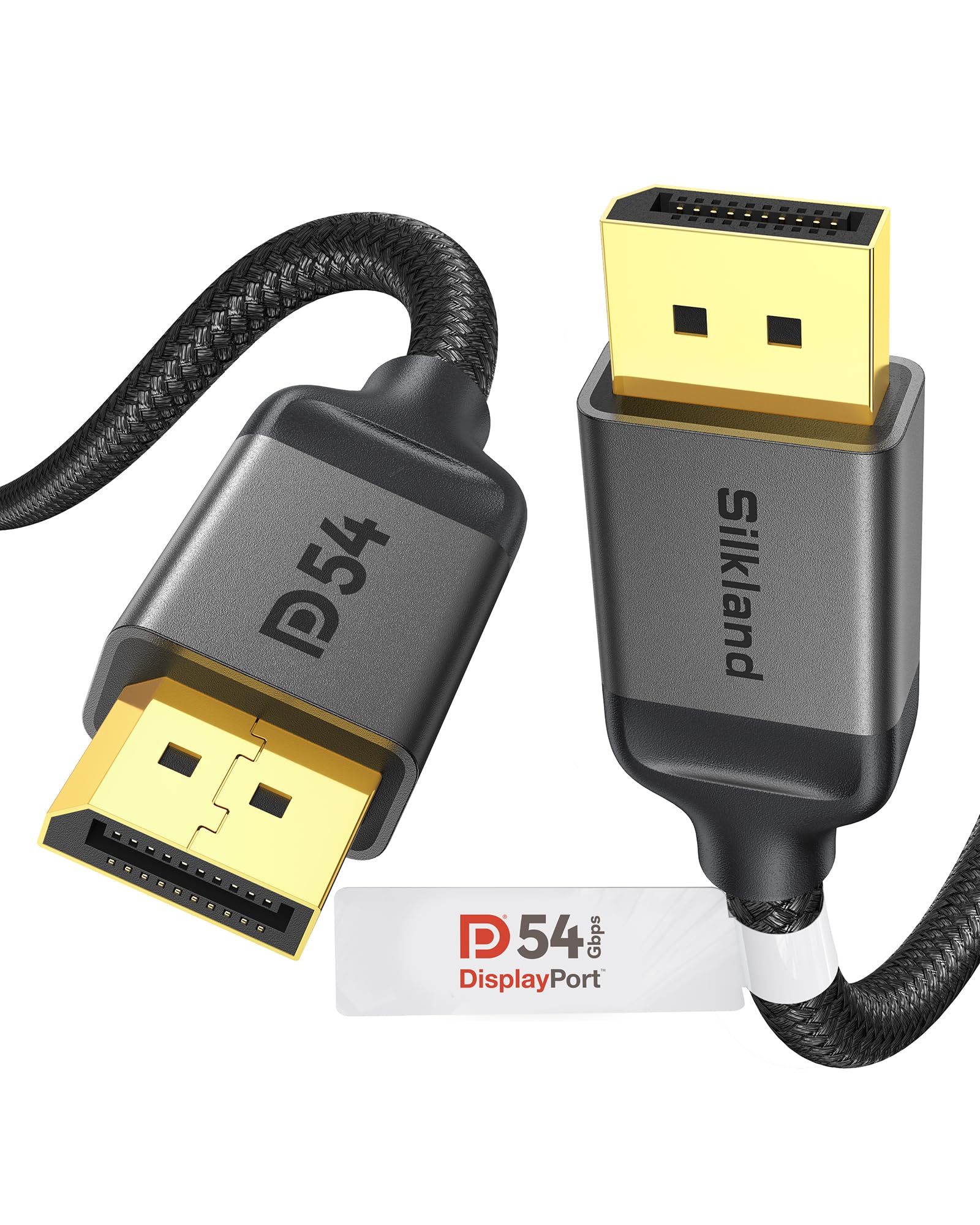
7,000+ ratings
Read Amazon ReviewsSilkland 54Gbps DisplayPort 2.1 Cable, 10 ft
Choose the DP80 for a nearby setup where its 80Gbps capacity is useful. The 10-foot model is a better fit when reach matters more and its listed bandwidth and modes meet your display requirements.
- This 10-foot Silkland cable is listed at 54Gbps and supports 16K at 60Hz with DSC, 8K at 120Hz, and 4K at 240Hz.
- It is backward compatible with DisplayPort versions 2.0 through 1.0 and includes a double nylon braid, triple shielding, and a no-buckle connector design.
- The DP80 is a 1.6-foot, 80Gbps cable aimed at close connections and higher listed bandwidth modes.
Is Silkland DP80 Cable Worth It?
The Silkland DP80 DisplayPort Cable is worth considering for a nearby gaming monitor that can use DisplayPort 2.1, especially when a short, tidy connection and high bandwidth are priorities.
Its feature set covers demanding high-refresh modes, variable refresh support, and multi-stream transport.
Measure your cable route and confirm the graphics card and monitor support the display mode you want.
If the PC is farther away, a longer cable is the more practical choice; if the setup is close and compatible, the DP80’s short length and 80Gbps capacity make it a focused option.
Your review at a glance
2,000+ ratings
Read Amazon ReviewsSilkland DP80 DisplayPort Cable
A short VESA-certified cable for gamers connecting DisplayPort 2.1 equipment at a desk, with less slack and wide bandwidth headroom.
- VESA-certified DisplayPort 2.1 cable with up to 80Gbps bandwidth and UHBR20 support.
- Supports uncompressed resolutions and refresh rates up to 4K at 240Hz, 8K at 60Hz, and 2K at 540Hz.
- With DSC enabled, listed modes extend to 16K at 60Hz, 8K at 240Hz, and 4K at up to 540Hz.
- Includes VRR, FEC, ALLM, DSC 1.2a, MST, dynamic HDR10+, 3D, and HDCP 2.3 support.