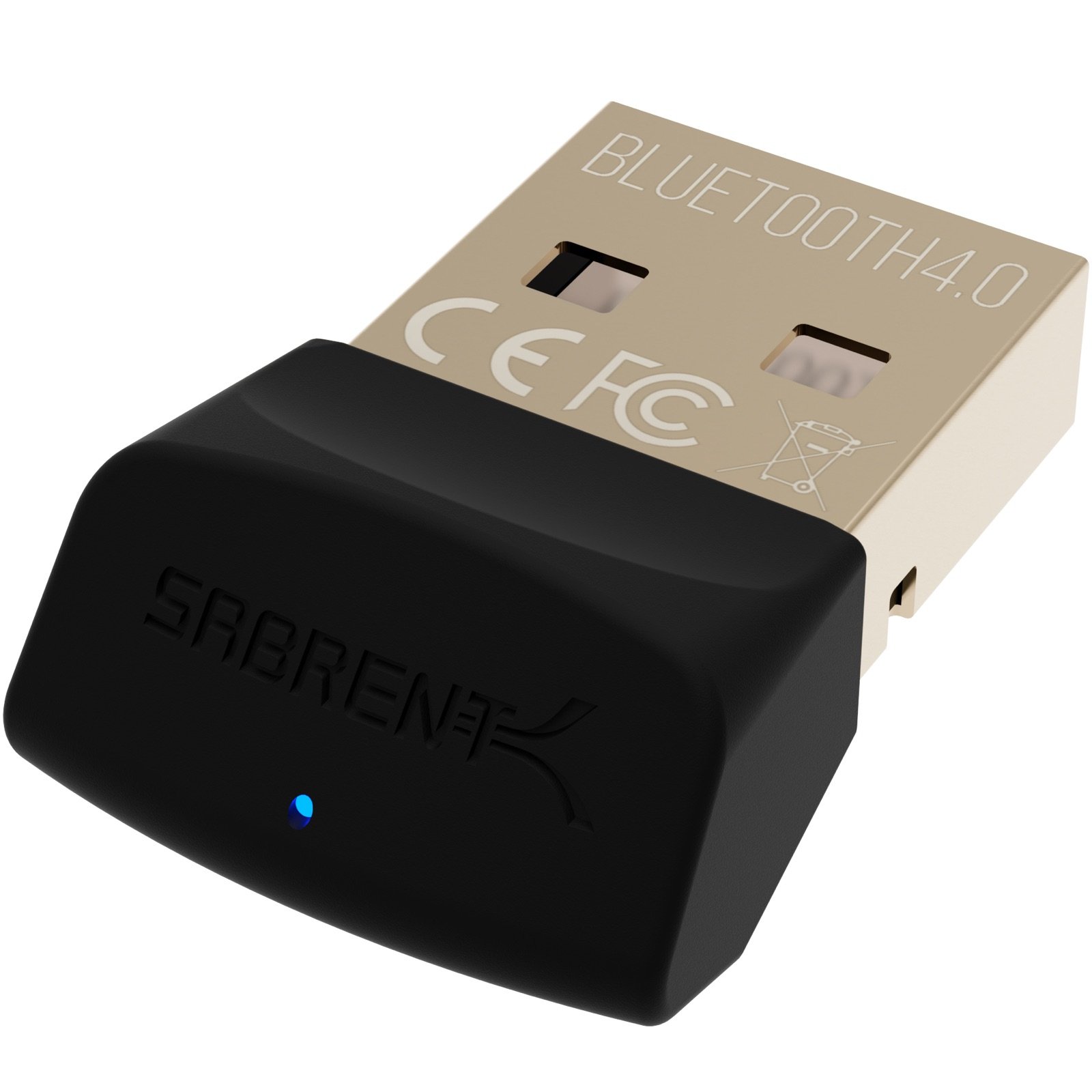
The SABRENT USB Bluetooth 4.0 Micro Adapter review is for PC owners who want to add Bluetooth connectivity for a phone or headset through a USB Type-A port.
Its Bluetooth 4.0 Class 2 design with Low Energy support covers straightforward pairing needs, while its older standard may be less appealing if you are choosing an adapter for a newer Bluetooth setup.
SABRENT BT-UB40 Review Summary
The quick verdict
3,000+ ratings
Read Amazon ReviewsSABRENT BT-UB40 Bluetooth Adapter
A compact USB Bluetooth option for PC owners who need basic wireless links to a phone or headset and value Bluetooth 4.0 Low Energy support.
- Bluetooth 4.0 Class 2 specification with Low Energy technology.
- Backward compatibility with Bluetooth 3.0, 2.1, 2.0, and 1.1.
- USB Type-A connector for use with a compatible computer port.
- Described use includes enabling wireless connectivity between a laptop and cellular phone.

Pros
- Includes Bluetooth Low Energy support.
- Works with several earlier Bluetooth versions, which may help when connecting older devices.
Consider before buying
- Bluetooth 4.0 is an older generation, so buyers prioritizing newer Bluetooth features may prefer to compare alternatives.
- Operating-system compatibility and setup requirements are not detailed in the product information; confirm them for your computer before buying.
Read the full review summary
The BT-UB40 is a small-purpose adapter for adding Bluetooth to a compatible computer.
It supports Bluetooth versions 4.0, 3.0, 2.1, 2.0, and 1.1, and the listed uses include connecting a headset to a PC or linking a laptop and cellular phone.
Low Energy technology is included, giving it a useful feature set for basic wireless connectivity.
It is best suited to someone who needs a simple Bluetooth connection and has a device or routine that fits the older Bluetooth 4.0 standard.
The product information does not describe a long-range antenna, operating-system setup details, or support for a particular range of peripherals, so buyers with those requirements should check compatibility before choosing it.
The buying factors
SABRENT BT-UB40 Scorecard
Editorial scores reflect listed features and buyer fit; they are not laboratory measurements or customer ratings.
Bluetooth version coverage
Bluetooth 4.0 support includes backward compatibility with versions 3.0, 2.1, 2.0, and 1.1.
Low Energy support
Low Energy technology is part of the stated Bluetooth 4.0 specification.
Everyday connection uses
The described examples include PC headset connectivity and phone-to-computer wireless linking.
Connection flexibility
USB Type-A provides a familiar way to add the adapter to a computer with a compatible port.
Setup clarity
The product details do not spell out operating-system requirements or setup steps, so buyers may need to confirm these first.
Future-facing features
Bluetooth 4.0 may suit existing devices, but buyers seeking newer-generation adapter features should compare newer options.
Key Features and Specifications of SABRENT BT-UB40
- Bluetooth 4.0 Class 2 specification with Low Energy technology.
- Backward compatibility with Bluetooth 3.0, 2.1, 2.0, and 1.1.
- USB Type-A connector for use with a compatible computer port.
- Described use includes enabling wireless connectivity between a laptop and cellular phone.
- Can connect a Bluetooth headset to a PC, according to the listed use cases.
Pros and Cons of SABRENT BT-UB40
Pros
- Includes Bluetooth Low Energy support.
- Works with several earlier Bluetooth versions, which may help when connecting older devices.
- USB Type-A makes it a straightforward add-on for computers with that port.
- The stated use cases cover both a phone-to-computer link and a PC headset connection.
Consider before buying
- Bluetooth 4.0 is an older generation, so buyers prioritizing newer Bluetooth features may prefer to compare alternatives.
- Operating-system compatibility and setup requirements are not detailed in the product information; confirm them for your computer before buying.
- The described use cases are limited, so check whether your specific peripheral and intended connection are supported.
Who Should Buy SABRENT BT-UB40?
Good fit
Consider the BT-UB40 if your computer has USB Type-A and you need a basic Bluetooth connection for a compatible phone or headset.
Its support for Bluetooth 4.0 and several earlier versions gives it a practical role when the devices you plan to connect use those standards.
The Low Energy feature is another reason to consider it if BLE support matters to your use.
Before ordering, check the computer’s operating system and the Bluetooth requirements of the specific device you want to pair; those details are not laid out here.
It makes the most sense when the goal is a simple connection rather than a particular range, high data speed, or newer-generation feature set.
Match the adapter to your actual devices instead of choosing solely by the Bluetooth label.
Who should skip it
Skip it if your purchase depends on a particular operating system, setup method, connection range, or peripheral compatibility that you have not confirmed. The product details do not establish those points.
Look at a newer Bluetooth adapter if you specifically want newer-generation support or adjustable antenna positioning; those are not features described for this model.
How the SABRENT BT-UB40 fits a basic Bluetooth setup
Bluetooth 4.0 and earlier devices
The BT-UB40 supports Bluetooth 4.0 and lists compatibility with versions 3.0, 2.1, 2.0, and 1.1.
That backward coverage can make it relevant when a computer needs to communicate with an older Bluetooth device, although compatibility still depends on the device and computer setup.
Low Energy for modest wireless tasks
Low Energy technology is included in the adapter’s specification.
This adds a useful compatibility point for buyers whose intended connection calls for BLE; confirm the peripheral’s requirements before purchasing, since the product information does not describe particular BLE devices or setup instructions.
USB Type-A and the computer you own
The USB Type-A connector gives the adapter a familiar physical connection for computers with a matching port. The listing also describes PC headset and laptop-to-phone uses, but it does not specify operating-system support.
Check your computer’s system requirements and available ports before treating it as a drop-in solution.
Choosing by the job, not just the standard
The adapter’s appeal comes from adding Bluetooth for a few ordinary device links, rather than from a specialized antenna or stated long-range design.
Think through the devices you will pair, the Bluetooth versions they use, and any range or operating-system needs that matter in your setup.
Alternatives to SABRENT BT-UB40
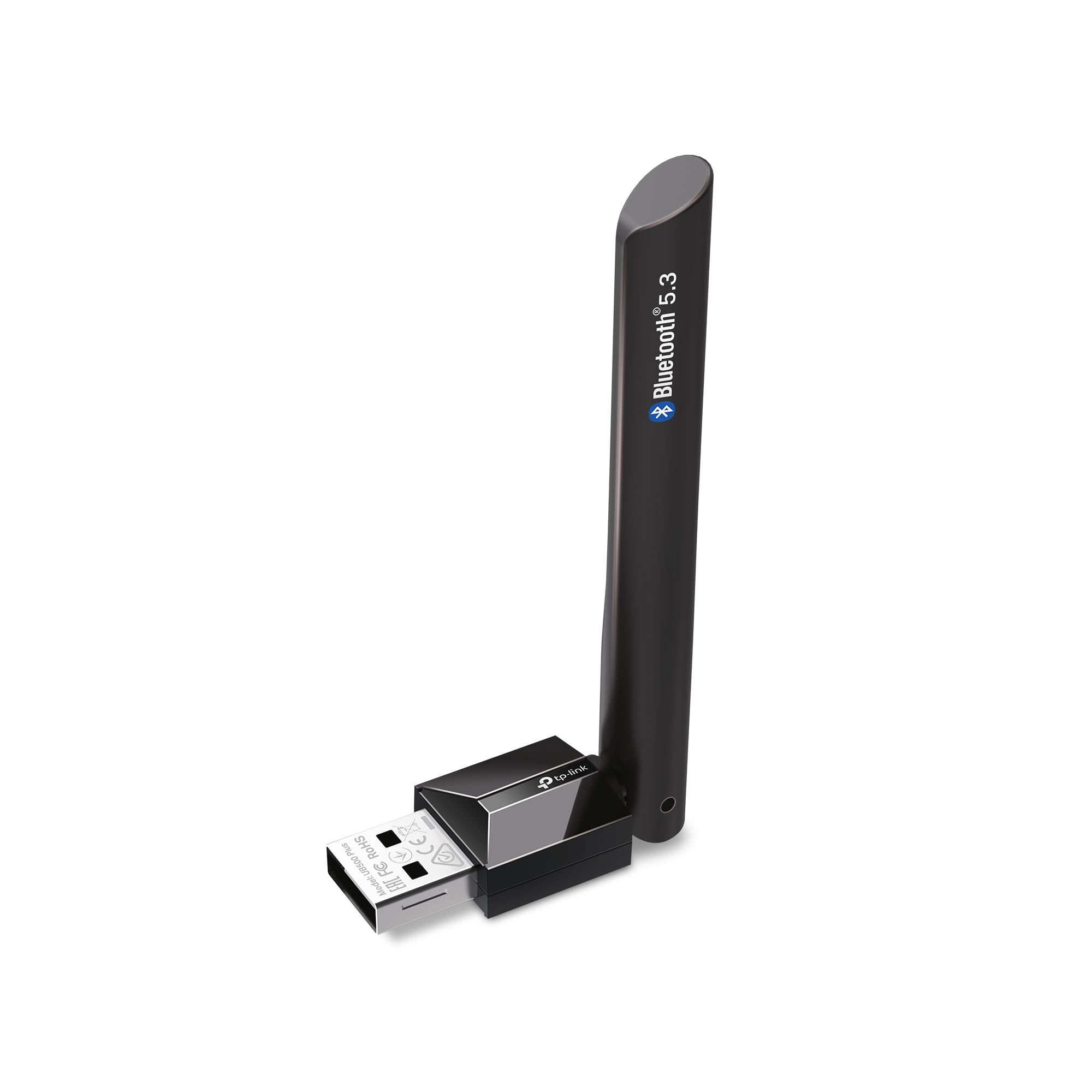
One alternative is included because it offers a meaningful newer-generation and antenna-design difference for the same USB Bluetooth adapter need.
Bluetooth Network Adapters alternative
1,000+ ratings
Read Amazon ReviewsTP-Link UB500 Plus Bluetooth 5.3 Adapter
Choose the SABRENT if Bluetooth 4.0 coverage and the listed basic connection uses fit your needs.
The TP-Link is a stronger fit if you want Bluetooth 5.3, an adjustable antenna, or stated Windows setup guidance; check its Windows version requirements before choosing.
- The TP-Link UB500 Plus offers Bluetooth 5.3, EDR and Low Energy, an adjustable multidirectional antenna, and plug-and-play support for Windows 8.1, 10, and 11; Windows 7 requires a driver.
- The SABRENT BT-UB40 supports Bluetooth 4.0 and earlier versions, includes Low Energy technology, and uses USB Type-A.
Is SABRENT BT-UB40 Worth It?
The SABRENT BT-UB40 is worth considering for a basic Bluetooth connection when your computer has USB Type-A and your phone or headset suits Bluetooth 4.0 or an earlier version.
Low Energy support and backward compatibility give it a practical, focused feature set.
Confirm operating-system and peripheral compatibility before buying, especially if you need a specific setup process or range. If newer Bluetooth support or antenna adjustment matters more, compare the TP-Link UB500 Plus.
Your review at a glance
3,000+ ratings
Read Amazon ReviewsSABRENT BT-UB40 Bluetooth Adapter
A compact USB Bluetooth option for PC owners who need basic wireless links to a phone or headset and value Bluetooth 4.0 Low Energy support.
- Bluetooth 4.0 Class 2 specification with Low Energy technology.
- Backward compatibility with Bluetooth 3.0, 2.1, 2.0, and 1.1.
- USB Type-A connector for use with a compatible computer port.
- Described use includes enabling wireless connectivity between a laptop and cellular phone.