The SABRENT USB 3.0 Extension Cable review is relevant if a computer or Windows tablet’s USB-A port is just out of reach of a peripheral.
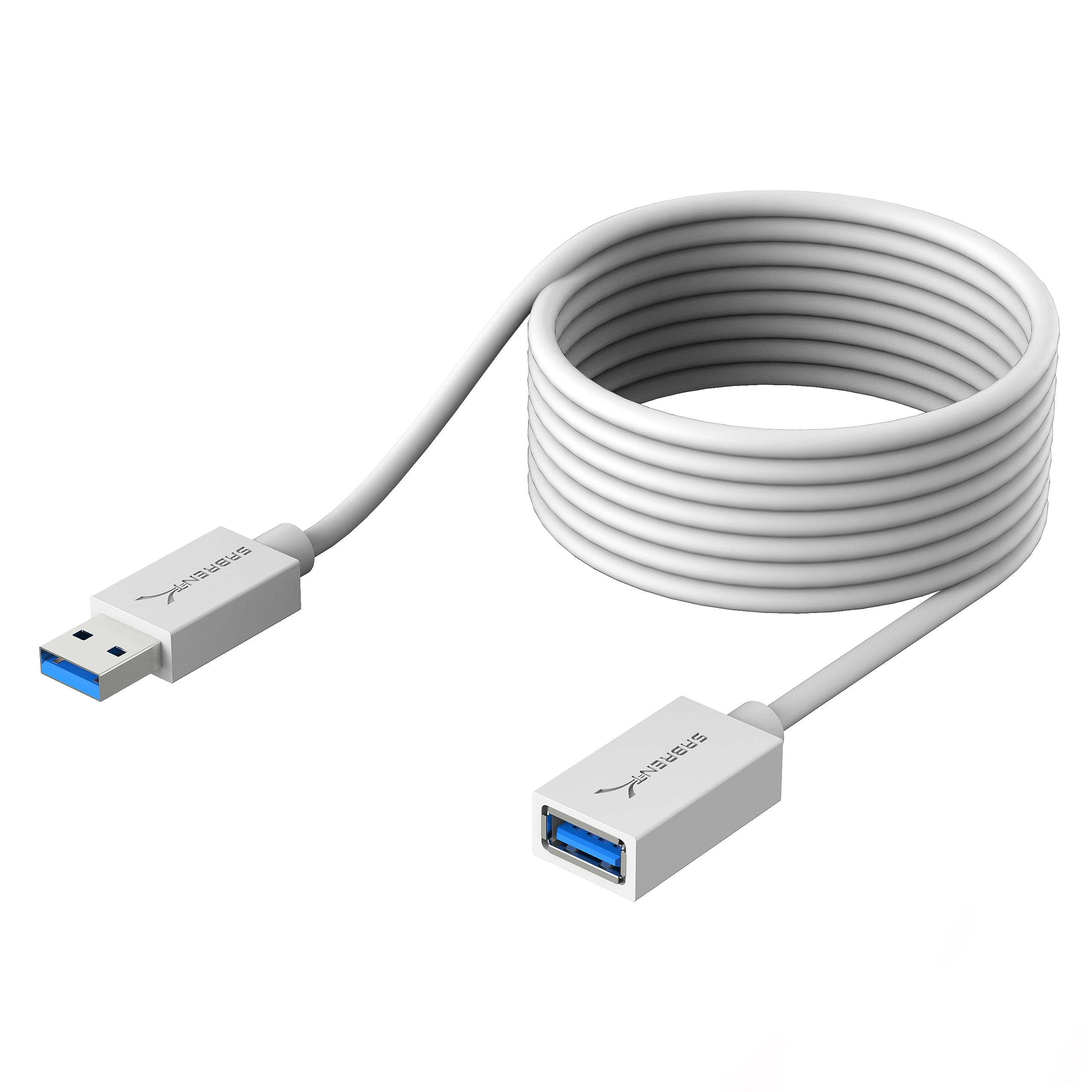
This 10-foot male-to-female cable is designed to extend connections to USB 3.0 and USB 2.0 devices while supporting the higher transfer-rate ceiling of USB 3.0.
SABRENT Extension Cable Review Summary
The quick verdict
16,000+ ratings
Read Amazon ReviewsSABRENT USB 3.0 Extension Cable
A practical choice for extending a USB-A connection to nearby peripherals that use USB 3.0 or USB 2.0.
- 10-foot USB 3.0 extension cable with USB-A male and USB-A female connectors.
- Designed to extend a connection between a computer or Windows tablet and USB peripherals.
- Compatible with USB 3.0 and USB 2.0 devices, according to the product description.
- Supports USB 3.0 data transfer rates up to 5 Gbps.

Pros
- Adds a useful 10 feet of reach to a compatible USB-A connection.
- Works with both USB 3.0 and USB 2.0 peripherals.
Consider before buying
- The USB-A male-to-female format is only suitable when both the host connection and the peripheral cable use USB-A.
- A 10-foot extension may add more cable than a compact desk setup needs; check the route and placement before choosing it.
Read the full review summary
This cable addresses a straightforward problem: moving a peripheral farther from a host device without replacing its existing USB-A cable or moving the computer.
Its A-male to A-female connectors make it an extension, and the listed 10-foot length may help when a short cable cannot comfortably reach a hard drive, hub, mouse, keyboard, flash drive, or printer.
The key distinction is that this is an extension cable, not a general-purpose adapter or a cable with a different connector at either end.
It is aimed at people with USB-A connections who want extra reach and compatibility with USB 3.0 and USB 2.0 peripherals.
The product description gives an up-to 5 Gbps USB 3.0 transfer-rate ceiling and mentions signal shielding, but the connected devices and setup still matter.
The buying factors
SABRENT Extension Cable Scorecard
Editorial scores reflect listed features and buyer fit; they are not laboratory measurements or customer ratings.
Connection flexibility
A male-to-female USB-A connection extends an existing peripheral cable without changing its connector type.
Reach
The 10-foot length offers more placement flexibility than a short extension, provided that distance suits the setup.
USB generation compatibility
The description specifies compatibility with both USB 3.0 and USB 2.0 peripherals.
Transfer-rate potential
It supports USB 3.0 transfer rates up to 5 Gbps, while actual performance depends on the connected equipment and configuration.
Signal protection design
Shielding is intended to help protect against electromagnetic and radio-frequency signal interference.
Specialized use
Its USB-A extension design is useful for a specific connection problem but does not address devices that require another connector type.
Key Features and Specifications of SABRENT Extension Cable
- 10-foot USB 3.0 extension cable with USB-A male and USB-A female connectors.
- Designed to extend a connection between a computer or Windows tablet and USB peripherals.
- Compatible with USB 3.0 and USB 2.0 devices, according to the product description.
- Supports USB 3.0 data transfer rates up to 5 Gbps.
- Shielding is designed to help protect against electromagnetic and radio-frequency signal interference.
- Listed examples of compatible peripherals include hard drives, USB hubs, mice, keyboards, flash drives, and printers.
Pros and Cons of SABRENT Extension Cable
Pros
- Adds a useful 10 feet of reach to a compatible USB-A connection.
- Works with both USB 3.0 and USB 2.0 peripherals.
- Offers a USB 3.0 transfer-rate ceiling of up to 5 Gbps.
- Shielding is included to help limit signal interference.
Consider before buying
- The USB-A male-to-female format is only suitable when both the host connection and the peripheral cable use USB-A.
- A 10-foot extension may add more cable than a compact desk setup needs; check the route and placement before choosing it.
- The up-to 5 Gbps figure is a supported ceiling, not a guarantee of the speed a particular device or setup will achieve.
Who Should Buy SABRENT Extension Cable?
Good fit
Consider this cable if an existing USB-A peripheral cable falls short of the computer or tablet port, and you want more freedom to place a drive, hub, printer, or input device.
Its 10-foot length gives room to reposition a compatible device without changing the basic USB-A connection.
It is also a sensible fit for a mixed setup that includes both USB 3.0 and USB 2.0 peripherals.
Before buying, check the connector at the host end, the connector on the peripheral cable, and the distance needed; the extension works when both sides of the intended connection match its USB-A format.
Who should skip it
Skip this model if the connection requires USB-C, Micro USB, or another connector rather than USB-A at both extension points. Choose a cable or adapter designed for the connectors your devices actually use.
If your setup only needs a short reach, measure the cable path first. A longer extension can leave extra cable to route and manage.
How the SABRENT Extension Cable Fits a USB-A Setup
A direct extension for USB-A peripherals
The male-to-female layout is the central buying detail.
It lets a host connect to the extension’s male end while an existing USB-A peripheral cable plugs into the female end, so the cable adds distance without changing the peripheral’s connector.
USB 3.0 and USB 2.0 support
Compatibility with both USB generations makes the cable useful in setups where older and newer peripherals share a host.
The stated USB 3.0 ceiling is up to 5 Gbps; the resulting transfer rate depends on the devices, ports, and other parts of the connection.
Consider the route as well as the length
Ten feet can help when a peripheral needs to sit farther from the computer, but the best length depends on where the cable will run.
Measure the path around furniture or equipment and consider where the extra cable will rest before committing to a long extension.
Shielding as a design consideration
The product description identifies shielding intended to reduce the effect of electromagnetic and radio-frequency signals. That design may matter in a cable-heavy workspace, though it does not establish a particular measured performance outcome for every environment.
Alternatives to SABRENT Extension Cable
Only one supplied option offers a useful distinction for a USB connection need; the other candidates use different connector arrangements or serve charging and cable-storage purposes.
USB Cables alternative
500+ ratings
Read Amazon ReviewsSABRENT USB-C to USB-A 3.0 Cable, 6ft, 3-Pack
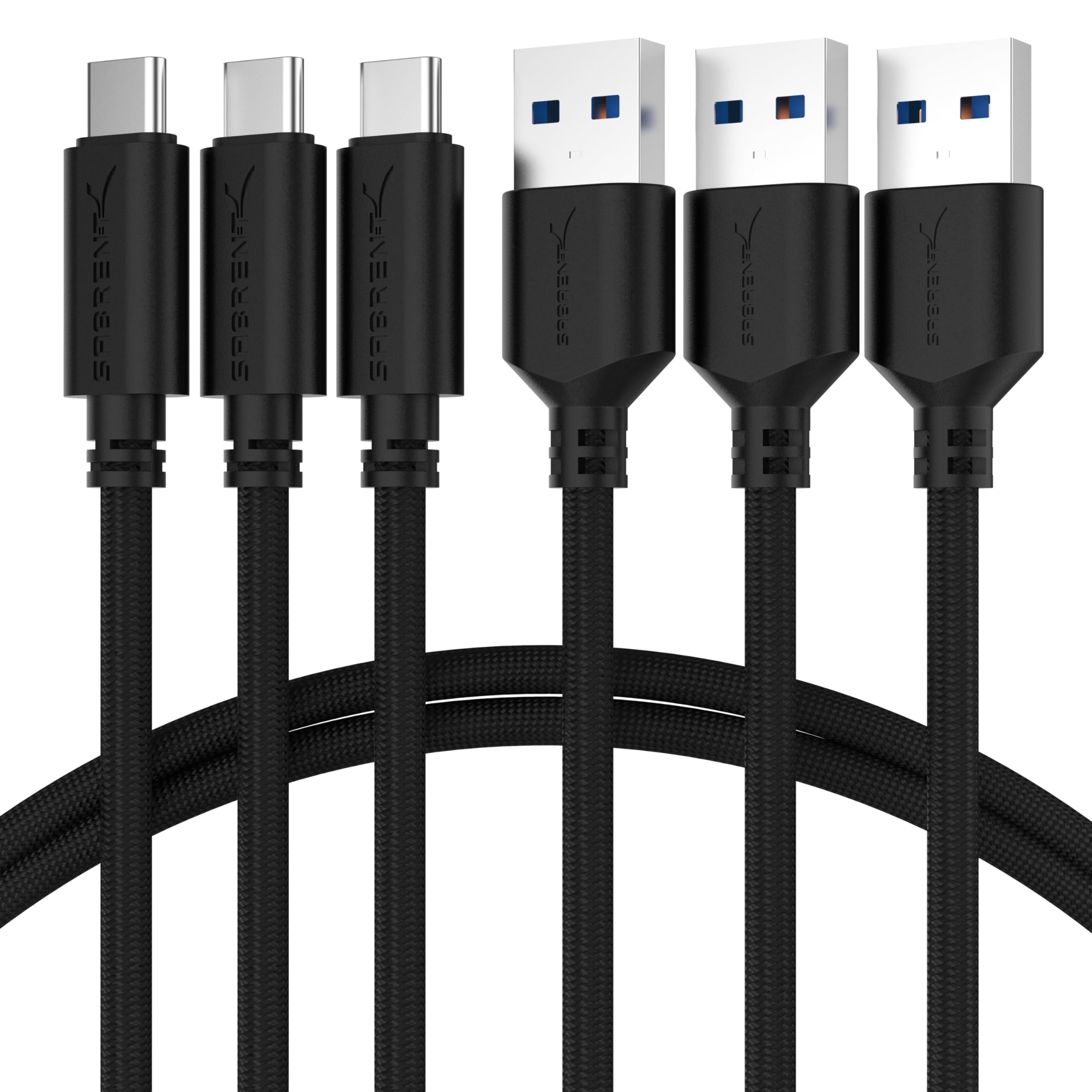
Choose the reviewed extension when you need to add reach to an existing USB-A peripheral cable. The three-pack is a better fit when you need complete USB-A-to-USB-C cables for compatible devices rather than an extension.
- This three-pack consists of 6-foot USB-A to USB-C cables, with USB 3.0 transfer speeds up to 5 Gbps and a nylon-braided design.
- The reviewed cable extends an existing USB-A connection using an A-male to A-female layout and measures 10 feet.
Is SABRENT Extension Cable Worth It?
The SABRENT USB 3.0 Extension Cable is worth considering when a compatible USB-A peripheral needs more room and a 10-foot extension suits the route.
Its USB 3.0 and USB 2.0 compatibility, up-to 5 Gbps transfer-rate support, and shielding make it a practical option for extending common peripherals.
Confirm the USB-A connections and measure the distance before buying.
The main tradeoff is its specific connector format: it is an extension for USB-A connections, so it will not directly solve a setup that needs a different connector type.
Your review at a glance
16,000+ ratings
Read Amazon ReviewsSABRENT USB 3.0 Extension Cable
A practical choice for extending a USB-A connection to nearby peripherals that use USB 3.0 or USB 2.0.
- 10-foot USB 3.0 extension cable with USB-A male and USB-A female connectors.
- Designed to extend a connection between a computer or Windows tablet and USB peripherals.
- Compatible with USB 3.0 and USB 2.0 devices, according to the product description.
- Supports USB 3.0 data transfer rates up to 5 Gbps.