The SABRENT HB-PU16 review is most relevant to desktop users who have outgrown a small hub and want a single place to connect numerous USB-A devices.
Its 16 USB 3.0 ports, individual power switches, and per-port status LEDs emphasize port capacity and hands-on control.
SABRENT HB-PU16 Review Summary
The quick verdict
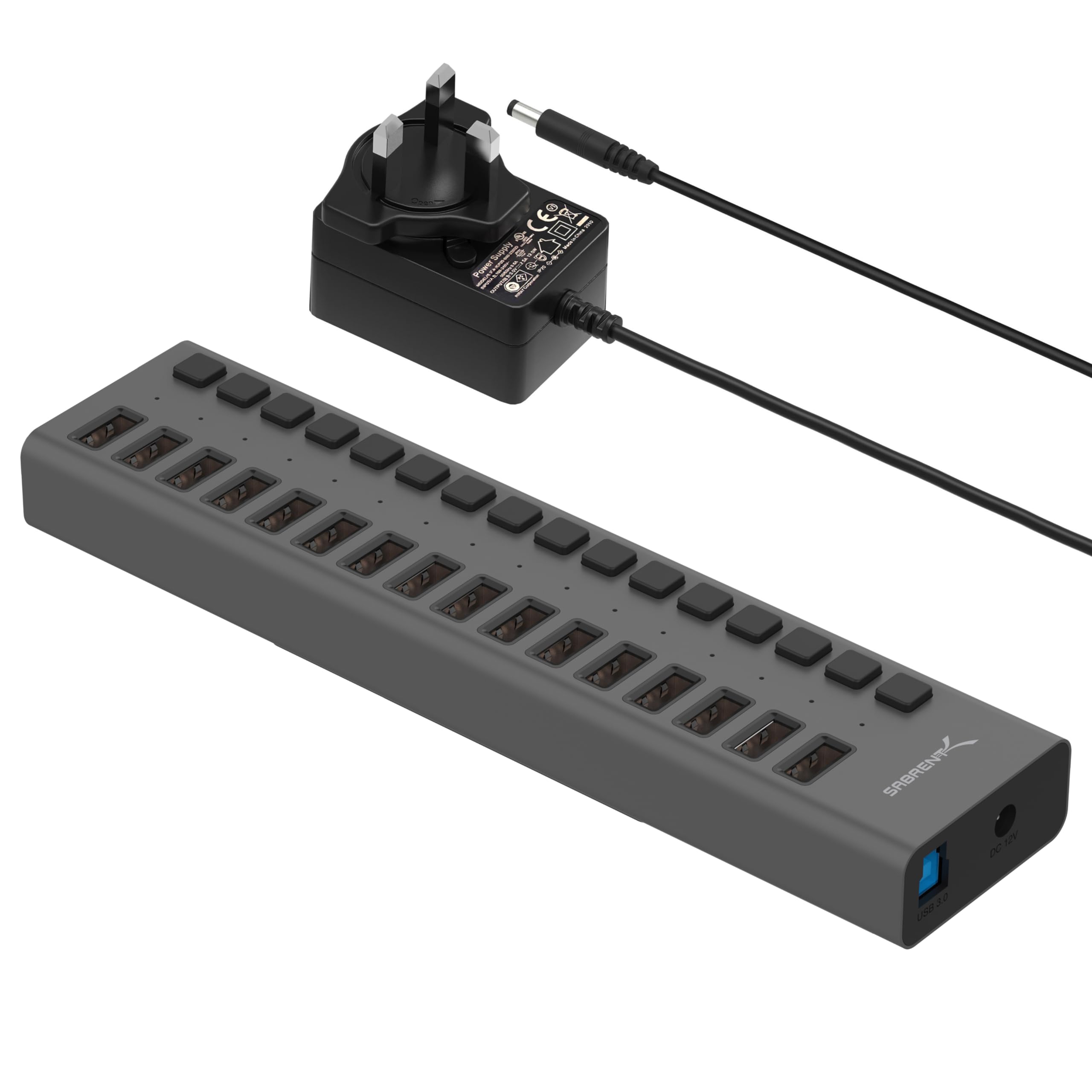
1,000+ ratings
Read Amazon ReviewsSABRENT HB-PU16
A powered 16-port USB hub for desktop users who connect many drives and peripherals and want individual port switches.
- Sixteen downstream USB 3.0 ports for connecting multiple USB peripherals.
- Data transfer rates of up to 5Gbps on supported USB 3.0 connections.
- Backward compatibility with USB 2.0 and USB 1.1 devices and transfer modes.
- An individual power switch for each port.

Pros
- Sixteen ports can consolidate a large number of USB connections at one workstation.
- Individual switches give direct control over power to each port.
Consider before buying
- The sixteen-port capacity may be excessive for users with only a few USB devices.
- The provided details do not state the charging output available to each port; check the requirements of devices you intend to charge.
Read the full review summary
The HB-PU16 provides sixteen downstream USB 3.0 ports for devices such as flash drives, card readers, external hard drives, and other USB peripherals.
It supports USB 3.0 transfer rates up to 5Gbps and is backward compatible with USB 2.0 and USB 1.1 equipment, making it suitable for a mixed collection of older and newer accessories.
The individual power switches and blue status LEDs make it easier to manage connected devices at the hub, especially when many ports are in use.
Consider it when you need high port density at a fixed workstation; if your setup only needs a few connections, a smaller hub may be easier to place and more practical.
The buying factors
SABRENT HB-PU16 Scorecard
Editorial scores reflect listed features and buyer fit; they are not laboratory measurements or customer ratings.
Port capacity
Sixteen downstream ports give multi-device desktop setups substantial room to grow.
Data connectivity
USB 3.0 supports up to 5Gbps, with compatibility for USB 2.0 and USB 1.1 devices.
Port management
Individual power switches and blue status LEDs make each connection easier to identify and control.
Device versatility
The described use cases include drives, card readers, flash drives, and other USB peripherals.
Desk practicality
Sixteen ports are useful for a dense setup, but may be more capacity than a compact or lightly equipped workspace needs.
Charging clarity
The product is described as a hub and charger, but the available details do not specify port-by-port charging output, so check device requirements before relying on it for charging.
Key Features and Specifications of SABRENT HB-PU16
- Sixteen downstream USB 3.0 ports for connecting multiple USB peripherals.
- Data transfer rates of up to 5Gbps on supported USB 3.0 connections.
- Backward compatibility with USB 2.0 and USB 1.1 devices and transfer modes.
- An individual power switch for each port.
- A blue LED indicates power status at each port.
- Plug-and-play and hot-swappable operation are listed among its features.
- Can connect flash drives, card readers, external hard drives, and other USB peripherals for access or charging.
Pros and Cons of SABRENT HB-PU16
Pros
- Sixteen ports can consolidate a large number of USB connections at one workstation.
- Individual switches give direct control over power to each port.
- Per-port blue LEDs make power status easier to see.
- Supports USB 3.0 while remaining compatible with USB 2.0 and USB 1.1 devices.
Consider before buying
- The sixteen-port capacity may be excessive for users with only a few USB devices.
- The provided details do not state the charging output available to each port; check the requirements of devices you intend to charge.
- To make use of the full port count, confirm that your desk has room for a hub and that the connected devices and cables will fit your setup.
Who Should Buy SABRENT HB-PU16?
Good fit
Buy the SABRENT HB-PU16 if your desktop routinely needs many USB-A connections for storage devices, card readers, and everyday peripherals.
Sixteen ports reduce the need to rotate devices through a smaller hub, while compatibility with USB 2.0 and USB 1.1 helps accommodate older accessories alongside USB 3.0 devices.
Its individual switches and status lights add useful day-to-day control: you can see which ports show power and switch them individually.
Before choosing it as a charging station, check whether the power available at the ports meets the needs of your particular devices, since the available product details do not specify per-port charging output.
Who should skip it
Skip it if your setup needs only a few USB ports or you prioritize a compact hub for travel. A smaller device may be easier to fit and carry.
Look elsewhere if your purchase depends on a particular charging rate for phones, tablets, or other devices. Confirm that requirement against the hub's detailed specifications before relying on it.
How the SABRENT HB-PU16 fits a busy USB setup
Sixteen ports suit a fixed workstation
The main advantage is straightforward: a large collection of USB peripherals can stay connected to one hub.
That is useful where drives, readers, and other accessories share a computer, though the capacity only pays off if you have enough desk space and devices to use it.
Speed depends on the connected device
The hub supports USB 3.0 transfer rates up to 5Gbps, with USB 2.0 and USB 1.1 compatibility.
The connection standard of each peripheral still matters, so older devices will use their supported modes rather than gaining USB 3.0 speed simply by connecting through this hub.
Switches and LEDs add practical oversight
Individual power switches let you manage ports separately, while a blue LED at each port indicates power status.
In a crowded setup, these controls can make it simpler to tell which connections are active and turn a port off when you do not need it.
Treat charging as a requirement to verify
The product is presented as a data hub and charger, and its ports are described for accessing or charging USB peripherals.
Since the supplied details do not give a charging rate for each port, compare the needs of your intended devices with the full specifications before making charging a central reason to buy.
Alternatives to SABRENT HB-PU16
USB Hubs alternative
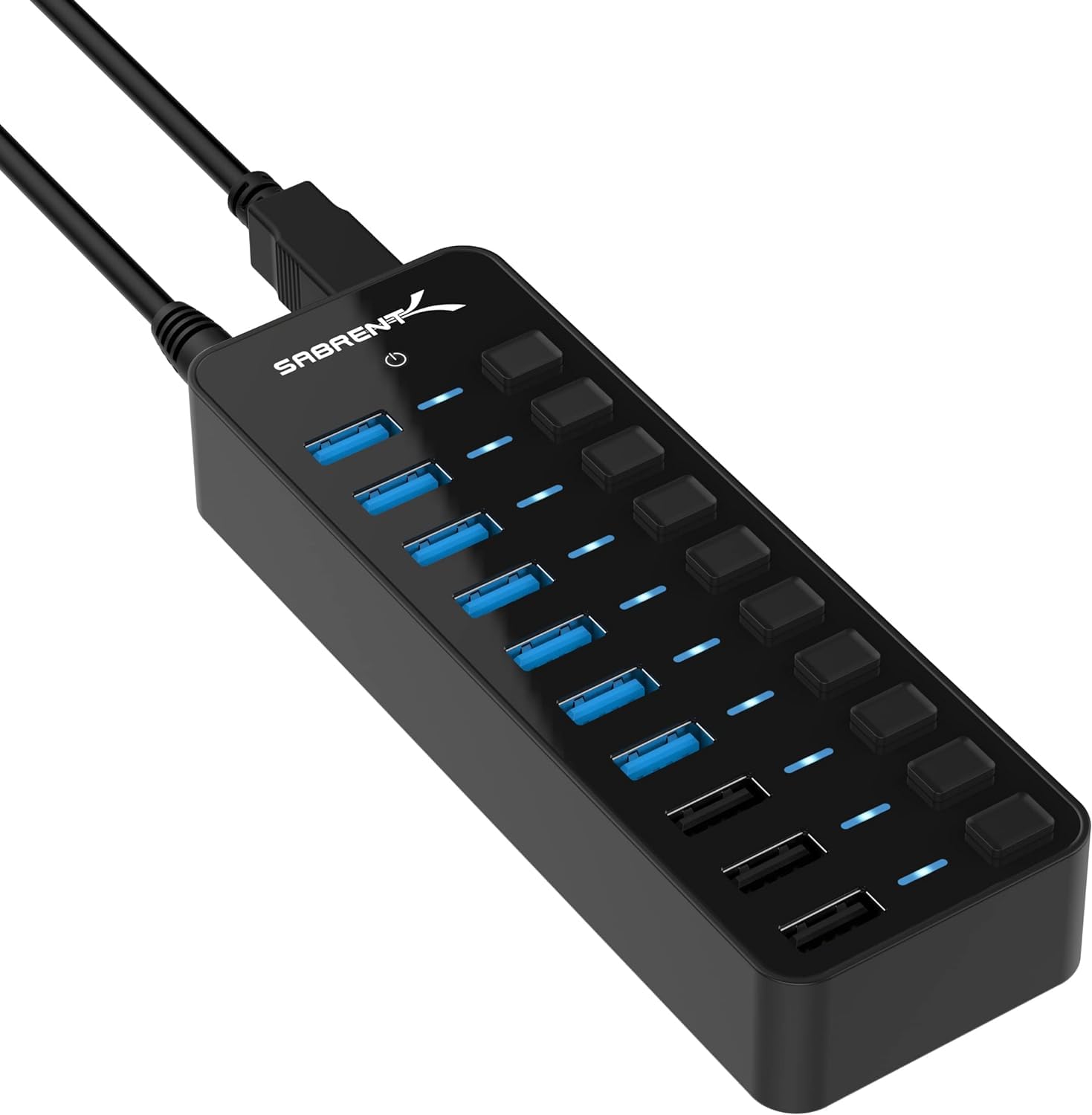
6,000+ ratings
Read Amazon ReviewsSABRENT HB-B7C3 10-Port USB 3.0 Hub
Choose the HB-PU16 if the priority is connecting more devices at once. Consider the HB-B7C3 if seven device connections are sufficient and its three specified smart-charging ports better match your charging needs.
- The HB-B7C3 connects up to seven USB 3.0 devices, has individual switches and LEDs, includes three dedicated smart-charging ports rated up to 2.4A per port, and comes with a 60W power adapter.
- The HB-PU16 offers sixteen USB 3.0 ports, individual switches, and per-port blue power indicators.
USB Hubs alternative
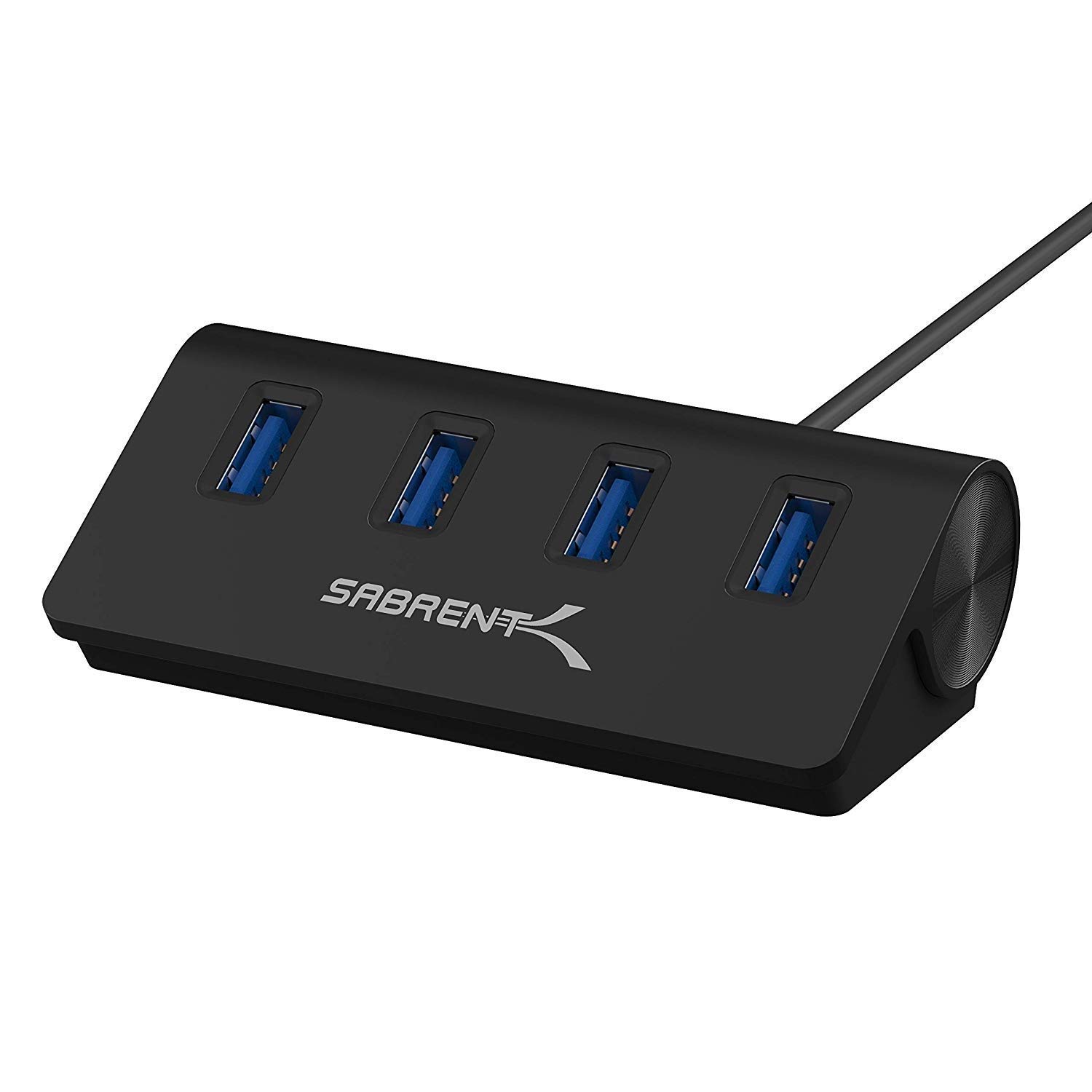
2,000+ ratings
Read Amazon ReviewsSABRENT HB-MC3B 4-Port USB 3.0 Hub
Pick the HB-PU16 for a desk with many connected devices and a need for port-level control.
The HB-MC3B is a more suitable fit when four ports are enough and its stated cable length and aluminum construction suit the workspace.
- The HB-MC3B is a four-port aluminum USB 3.0 hub with a 2.5-foot USB 3.0 cable; it supports transfer rates up to 5Gbps and is compatible with USB 2.0 and USB 1.1.
- The HB-PU16 is designed around a much larger 16-port setup, individual switches, and per-port status lights.
Is SABRENT HB-PU16 Worth It?
The SABRENT HB-PU16 is worth considering for a fixed workstation where sixteen USB-A ports, individual switches, and clear per-port power indicators solve a real connection-management problem.
Its USB 3.0 support and backward compatibility make it flexible for a mix of device generations.
Before buying, make sure the hub's size and capacity fit your desk, and verify the charging output against your devices' needs.
For a large peripheral collection it offers useful control and headroom; for a lightly equipped or portable setup, that much capacity is unlikely to be necessary.
Your review at a glance
1,000+ ratings
Read Amazon ReviewsSABRENT HB-PU16
A powered 16-port USB hub for desktop users who connect many drives and peripherals and want individual port switches.
- Sixteen downstream USB 3.0 ports for connecting multiple USB peripherals.
- Data transfer rates of up to 5Gbps on supported USB 3.0 connections.
- Backward compatibility with USB 2.0 and USB 1.1 devices and transfer modes.
- An individual power switch for each port.