The SABRENT 10-Port Powered USB 3.0 Hub review is for anyone trying to organize a crowded desktop setup with several USB peripherals and a few devices to charge.
Its mix of data ports, charging ports, individual switches, and an included power adapter makes it a more feature-rich choice than a basic port expander.
SABRENT 10-Port Hub Review Summary
The quick verdict
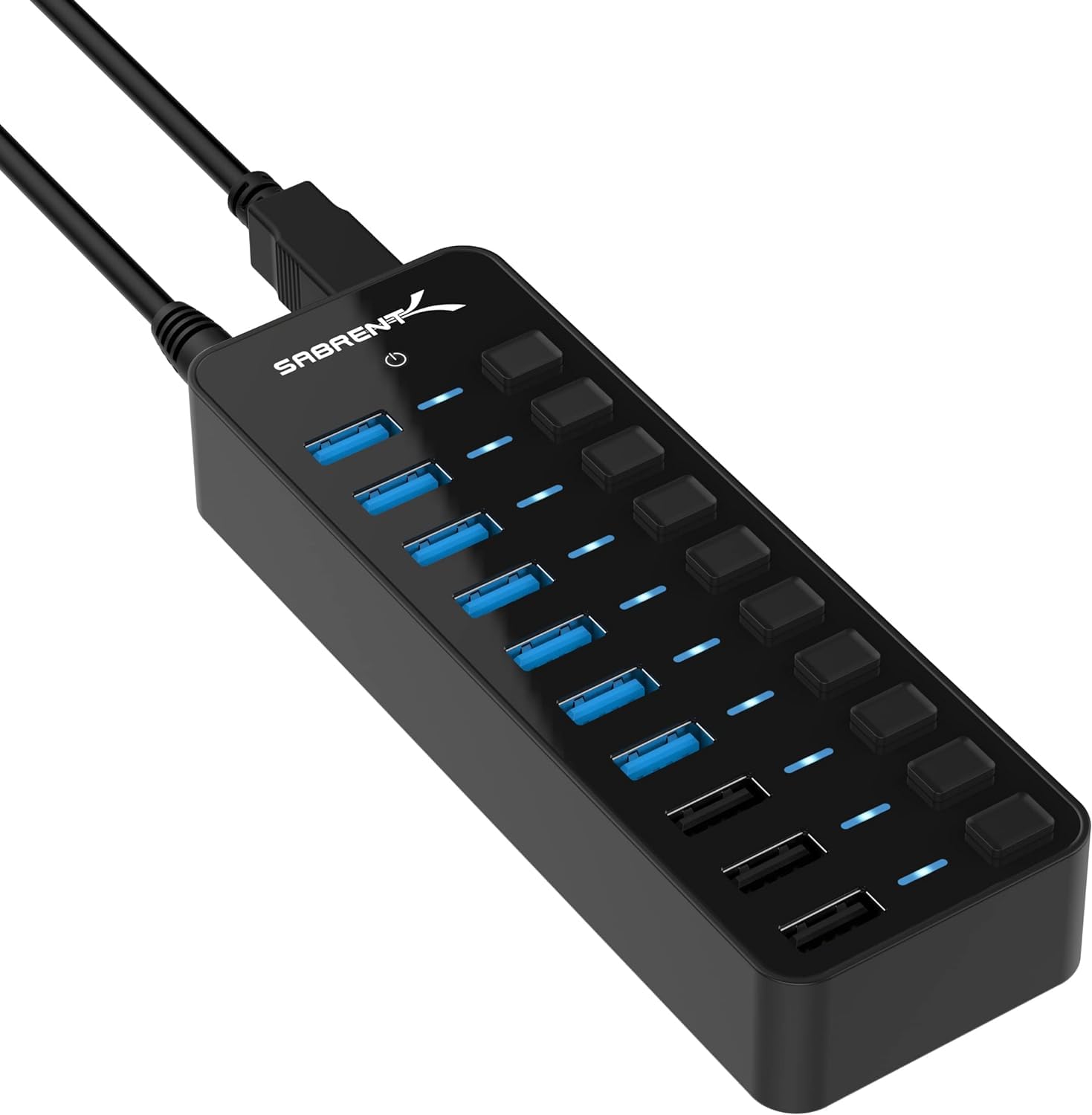
6,000+ ratings
Read Amazon ReviewsSABRENT 10-Port Powered USB 3.0 Hub
A fit for desktop users who need multiple USB-A connections, individual port switches, and dedicated charging ports in one powered hub.
- Ten-port design with capacity to connect up to seven USB 3.0 devices at once.
- USB 3.0 data transfer speeds up to 5Gbps for compatible drives, peripherals, and accessories.
- Three dedicated smart charging ports auto-detect devices and provide up to 2.4A per port.
- Included 60W, 12V/5A power adapter supplies power to the hub.

Pros
- Combines multiple data connections and three dedicated charging ports in one hub.
- Individual switches give you a direct way to control power to connected devices.
Consider before buying
- The seven-device figure applies to USB 3.0 device connections; the three charging ports have a separate role, so confirm the layout meets your specific mix of peripherals.
- The charging ports provide up to 2.4A each, so buyers should compare that limit with the charging needs of their devices.
Read the full review summary
This powered hub combines USB 3.0 connectivity for up to seven devices with three dedicated smart charging ports. Data connections support transfer speeds up to 5Gbps, while each port has its own power switch and LED indicator.
The included 60W, 12V/5A adapter is intended to power the hub across its ports.
It suits people who regularly connect several drives, input devices, or other USB accessories and want to turn individual connections off without unplugging them.
Check your device count and port types before buying: the described layout distinguishes seven data-capable connections from three charging ports, and the supplied details do not specify the connector arrangement or dimensions.
The buying factors
SABRENT 10-Port Hub Scorecard
Editorial scores reflect listed features and buyer fit; they are not laboratory measurements or customer ratings.
Port capacity
Ten ports offer room for a busy setup, including up to seven USB 3.0 device connections and three dedicated charging ports.
Data transfer potential
The data ports support speeds up to 5Gbps, suitable for compatible USB 3.0 devices.
Charging convenience
Three smart charging ports can deliver up to 2.4A per port, with automatic device detection.
Port-level control
Individual switches and LED indicators make it easier to manage connections one port at a time.
Power setup
A 60W, 12V/5A adapter is included to supply power to the hub.
Compatibility
The hub is described as plug and play with Windows, macOS, and Linux.
Key Features and Specifications of SABRENT 10-Port Hub
- Ten-port design with capacity to connect up to seven USB 3.0 devices at once.
- USB 3.0 data transfer speeds up to 5Gbps for compatible drives, peripherals, and accessories.
- Three dedicated smart charging ports auto-detect devices and provide up to 2.4A per port.
- Included 60W, 12V/5A power adapter supplies power to the hub.
- Individual power switch and LED indicator at each port.
- Plug-and-play compatibility with Windows, macOS, and Linux; no drivers required.
Pros and Cons of SABRENT 10-Port Hub
Pros
- Combines multiple data connections and three dedicated charging ports in one hub.
- Individual switches give you a direct way to control power to connected devices.
- LED indicators make port status easier to see at a glance.
- The included adapter and operating-system compatibility reduce setup steps for a range of computers.
Consider before buying
- The seven-device figure applies to USB 3.0 device connections; the three charging ports have a separate role, so confirm the layout meets your specific mix of peripherals.
- The charging ports provide up to 2.4A each, so buyers should compare that limit with the charging needs of their devices.
- If your setup depends on a particular connector type, cable length, or physical placement, check those details before ordering.
Who Should Buy SABRENT 10-Port Hub?
Good fit
Consider this hub if your computer setup has accumulated drives, keyboards, mice, or other USB accessories and you want to keep connections in one place.
The combination of up to seven USB 3.0 device connections and three charging ports can serve mixed data and charging needs without treating every port as interchangeable.
The per-port switches are useful when you want to disconnect a device's power without removing its cable.
The LED indicators also make it easier to identify which ports are active, while the included 60W adapter gives the hub its own power source.
Before choosing it, count the devices you expect to connect and check which ones need data access versus charging.
Also confirm the connector arrangement and placement will work with your computer and desk, since the supplied description does not detail those physical specifics.
Who should skip it
Look elsewhere if your computer has no compatible USB connection for the hub, or if your setup needs a port type or charging capability beyond the described USB 3.0 data connections and up to 2.4A charging ports.
A simpler hub may suit you better if you only need a couple of connections and would not use the dedicated charging ports or individual switches.
How the SABRENT 10-Port Hub fits a desktop setup
Data and charging have distinct roles
The design separates up to seven USB 3.0 device connections from three dedicated charging ports.
That distinction matters for planning: count the devices that need to exchange data with your computer separately from the phones or tablets you intend to charge.
Port switches add hands-on control
Each port has a power switch and LED indicator, so you can manage connections individually.
This may help when you want to leave cables connected but switch a device off; check the device's own requirements if it needs to remain powered or connected continuously.
Power is supplied by an included adapter
The included adapter is rated at 60W and 12V/5A.
It is a meaningful part of the setup for buyers choosing a powered hub, although the description does not give a per-port power budget beyond the charging-port maximum, so avoid assuming every port can deliver the same charging output.
Compatibility is broad, but check your host
Windows, macOS, and Linux are listed as compatible without a driver installation.
The available details do not specify the computer-side connector or cable length, so confirm that the connection and physical reach work for your particular desk before committing.
Alternatives to SABRENT 10-Port Hub
USB Hubs alternative
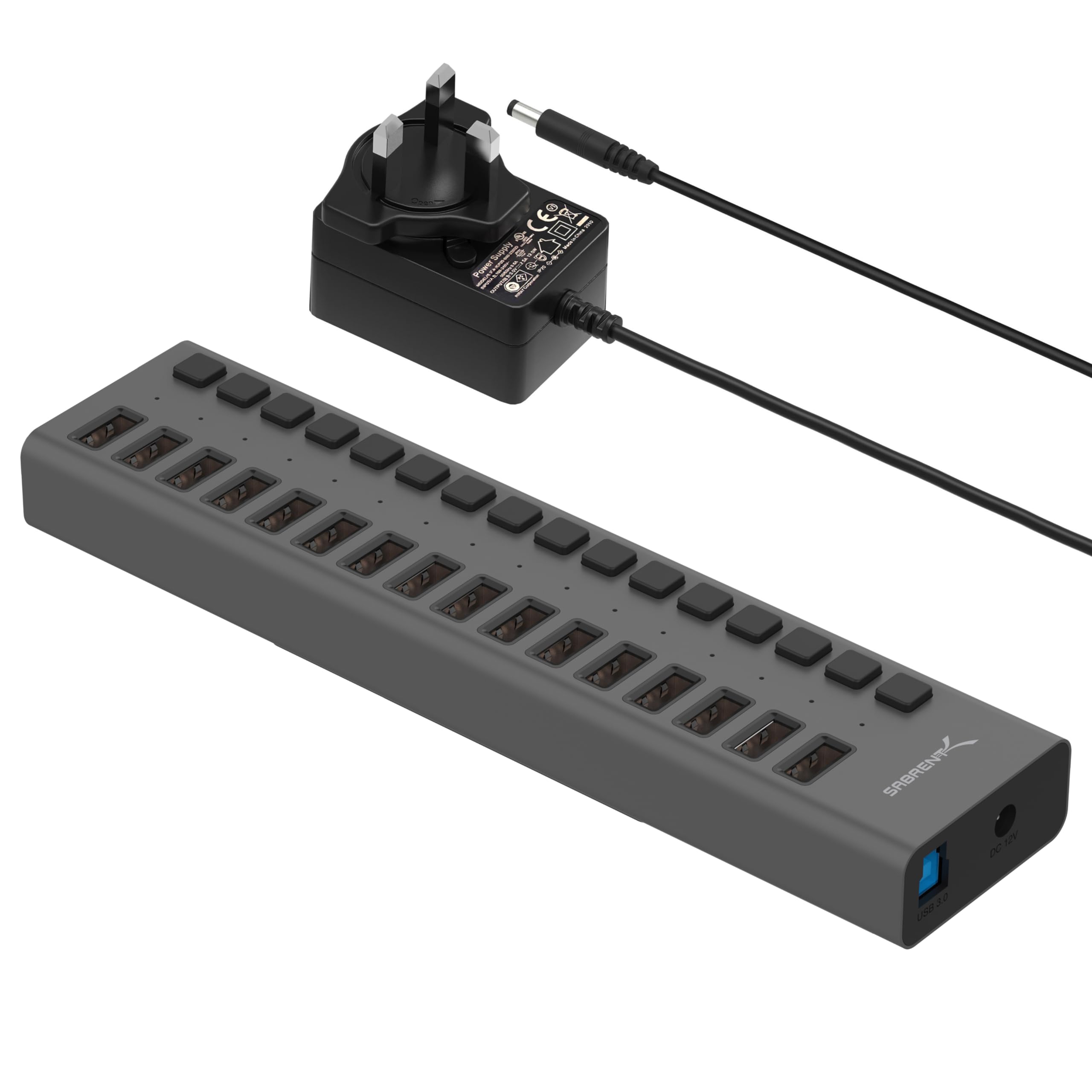
1,000+ ratings
Read Amazon ReviewsSABRENT 16-Port USB 3.0 Data Hub and Charger (HB-PU16)
Choose the 16-port model if you primarily need more USB 3.0 data connections for peripherals and drives. The 10-port model is the more relevant fit when three dedicated charging ports and smart charging are priorities.
- This model provides 16 USB 3.0 ports, individual power switches, per-port blue LEDs, and data speeds up to 5Gbps. Its description does not specify dedicated smart charging ports.
- The main hub offers ten ports, including three dedicated charging ports and individual power switches.
USB Hubs alternative
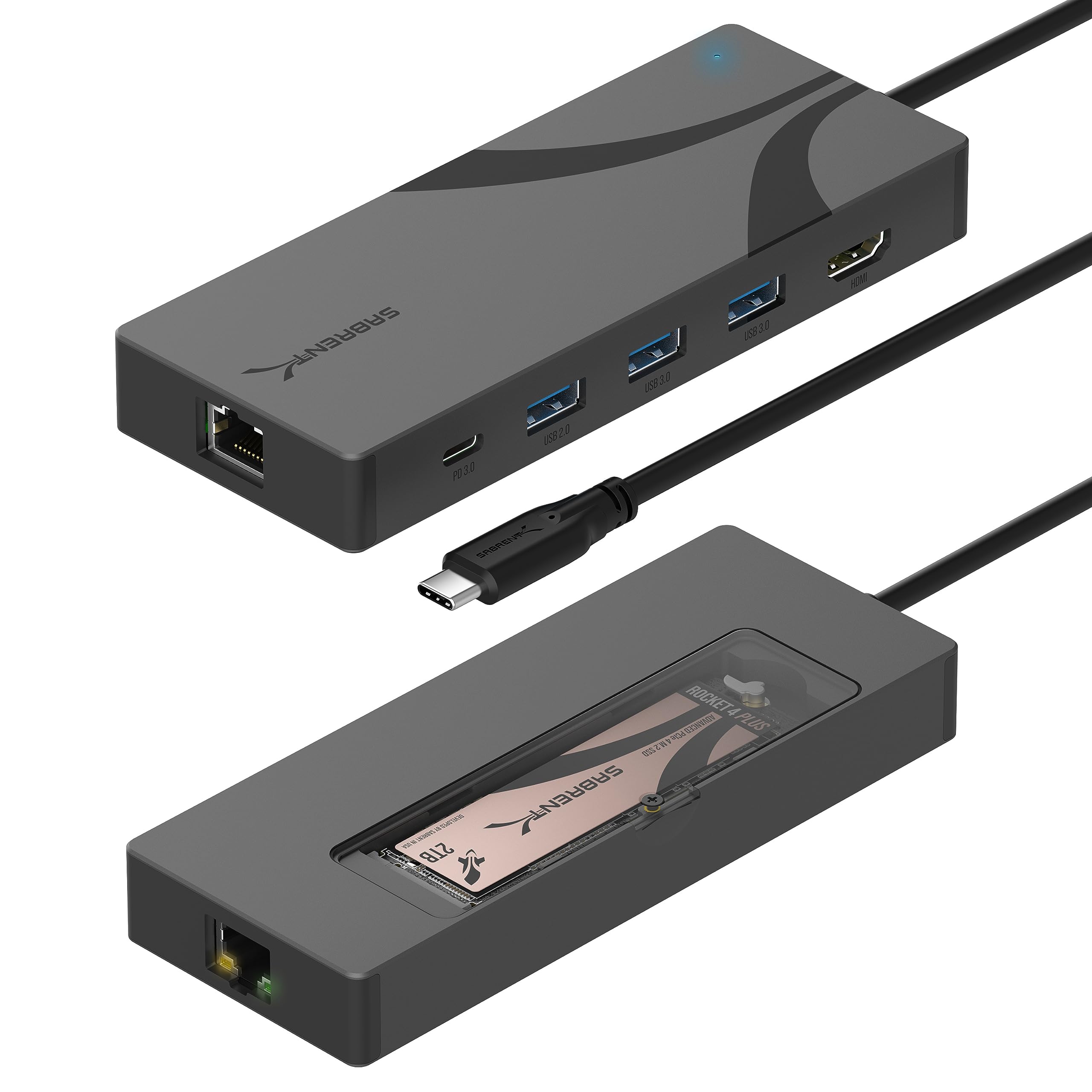
188,000+ ratings
Read Amazon ReviewsSABRENT USB-C 6-Port Hub & M.2 SSD Dock (HB-6PNV)
Consider this option if you need a USB-C dock with built-in storage expansion, display output, and wired networking. The 10-port hub better matches a setup that needs many USB-A device connections, dedicated charging ports, and individual switches.
- This USB-C hub combines six ports with an internal M.2 NVMe or SATA drive slot, one HDMI output supporting up to 4K at 60Hz, Gigabit Ethernet, and up to 90W power delivery to a host when you connect your own USB-C charger.
- Its drive slot runs at up to 5Gbps.
- The main hub focuses on a larger number of USB 3.0 connections and separate charging ports, with individual port switches.
Is SABRENT 10-Port Hub Worth It?
The SABRENT 10-Port Powered USB 3.0 Hub is worth considering for a busy desktop that needs several data connections, three dedicated charging ports, and individual control over each port.
Its included 60W adapter and compatibility with Windows, macOS, and Linux make it a practical candidate for a mixed-device setup.
Check your port layout, host connection, and charging requirements first. Its strongest appeal is the combination of high port count and per-port control; a smaller hub may be more suitable if you only need a few connections.
Your review at a glance
6,000+ ratings
Read Amazon ReviewsSABRENT 10-Port Powered USB 3.0 Hub
A fit for desktop users who need multiple USB-A connections, individual port switches, and dedicated charging ports in one powered hub.
- Ten-port design with capacity to connect up to seven USB 3.0 devices at once.
- USB 3.0 data transfer speeds up to 5Gbps for compatible drives, peripherals, and accessories.
- Three dedicated smart charging ports auto-detect devices and provide up to 2.4A per port.
- Included 60W, 12V/5A power adapter supplies power to the hub.