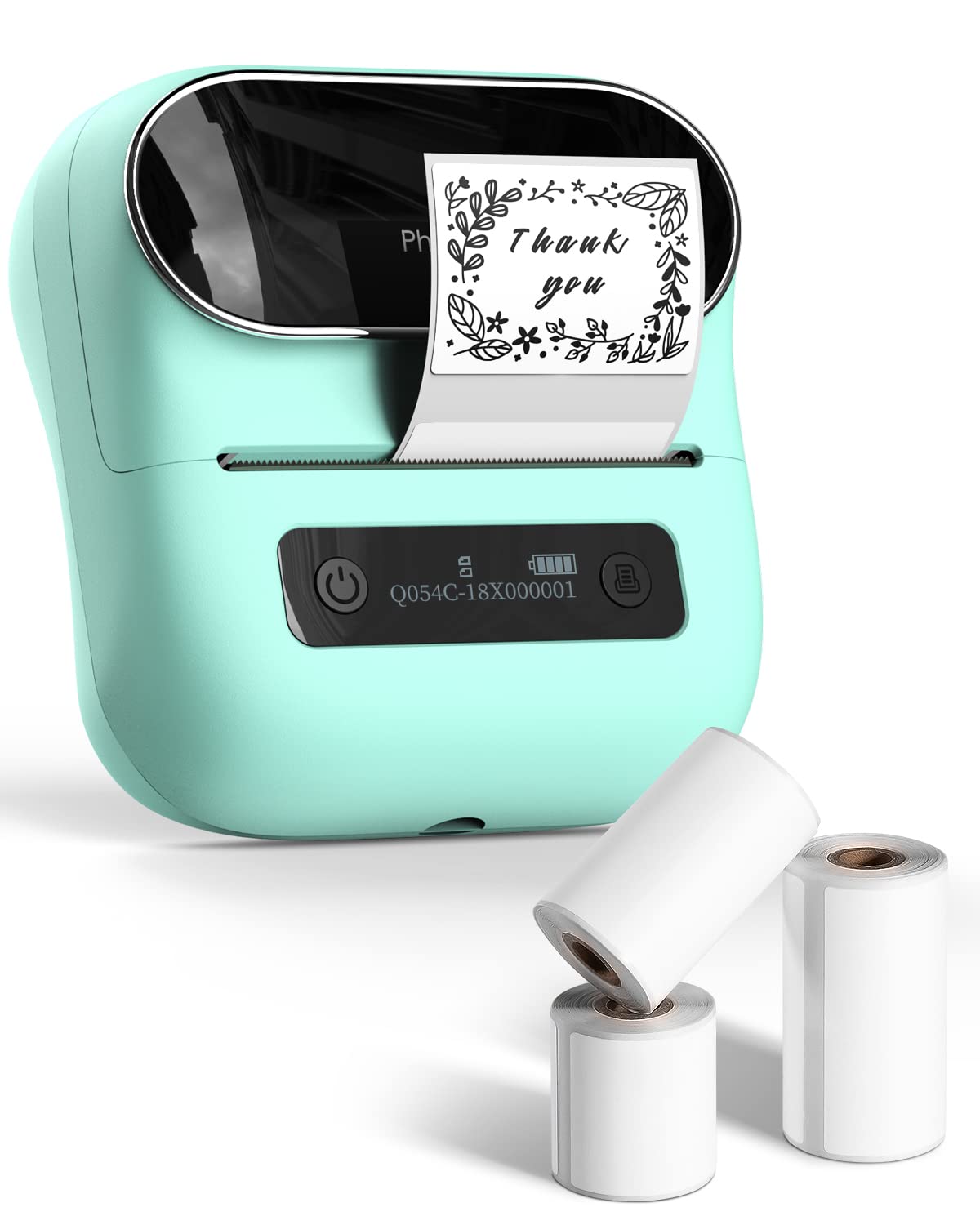
The Phomemo M220 Label Maker review centers on a portable thermal printer built for labels wider than those from many compact handheld models.
Its 0.78–3.14-inch width range, Bluetooth and USB connections, and app design tools suit home organization and small-business labeling, but it cannot print standard 4 × 6-inch shipping labels.
Phomemo M220 Review Summary
The quick verdict
700+ ratings
Read Amazon ReviewsPhomemo M220 Label Maker
A fit for home organizers and small sellers who need wider labels, phone or computer printing, and flexible barcode tools.
- Prints on thermal labels from 0.78 to 3.14 inches wide; it does not support 4 × 6-inch shipping labels.
- Direct thermal printing uses no ink, toner, or ribbon.
- Connects to phones and tablets over Bluetooth and to computers over USB.
- Computer support includes Windows, macOS, and Chrome OS; Linux is not supported.

Pros
- Wider label support than narrow-format handheld labelers, useful for varied home and product labeling.
- Offers both Bluetooth mobile printing and USB computer printing.
Consider before buying
- The 3.14-inch maximum width excludes standard 4 × 6-inch parcel labels.
- Computer use requires installing the correct driver and Labelife software; Linux is not supported.
Read the full review summary
The M220 combines ink-free thermal printing with a generous range of label widths, making it useful for everything from file folders and product labels to addresses and barcodes.
It can connect wirelessly to phones and tablets or by USB to compatible computers, so buyers can choose between mobile editing and a desktop workflow.
Its Print Master app includes text, images, barcodes, QR codes, OCR, icons, and templates for different tasks. That breadth is appealing for a home office or a small seller creating varied labels.
The key limitation is the maximum width: it stops short of standard 4 × 6-inch shipping labels, so high-volume parcel shipping may call for a dedicated printer.
The buying factors
Phomemo M220 Scorecard
Editorial scores reflect listed features and buyer fit; they are not laboratory measurements or customer ratings.
Label-width flexibility
The 0.78–3.14-inch range supports a broad variety of everyday and product-label sizes, though not standard 4 × 6-inch shipping labels.
Device connectivity
Bluetooth supports phones and tablets, while USB supports Windows, macOS, and Chrome computers; Linux is not listed as compatible.
App design tools
Print Master offers text, images, OCR, barcodes, QR codes, icons, and templates for varied labeling tasks.
Ink-free upkeep
Direct thermal printing avoids replacing ink, toner, and ribbons, leaving thermal labels as the consumable.
Portable use
A rechargeable 2200 mAh battery and auto-sleep mode support cordless use, with up to 36 rolls of continuous printing given as the maximum.
Shipping-label fit
It handles some mailing labels, but its width limit rules out standard 4 × 6-inch shipping labels.
Key Features and Specifications of Phomemo M220
- Prints on thermal labels from 0.78 to 3.14 inches wide; it does not support 4 × 6-inch shipping labels.
- Direct thermal printing uses no ink, toner, or ribbon.
- Connects to phones and tablets over Bluetooth and to computers over USB.
- Computer support includes Windows, macOS, and Chrome OS; Linux is not supported.
- The Print Master app includes text, pictures, barcodes, QR codes, OCR, forms, icons, and pre-made templates.
- A 2200 mAh battery, auto-sleep mode, and up to 36 rolls of continuous printing are listed.
- The package title specifies three rolls of labels.
Pros and Cons of Phomemo M220
Pros
- Wider label support than narrow-format handheld labelers, useful for varied home and product labeling.
- Offers both Bluetooth mobile printing and USB computer printing.
- App tools support barcodes, QR codes, OCR, images, and template-based layouts.
- Thermal printing avoids the recurring task of replacing ink, toner, or ribbons.
Consider before buying
- The 3.14-inch maximum width excludes standard 4 × 6-inch parcel labels.
- Computer use requires installing the correct driver and Labelife software; Linux is not supported.
- Mobile printing depends on using the Print Master app to find and connect to the printer.
Who Should Buy Phomemo M220?
Good fit
Consider the M220 if you label a mix of folders, products, addresses, or inventory and want room for wider formats than narrow tape-style labels allow.
The app's barcodes, QR codes, OCR, and templates can help when your labels need more than a short name or date.
It is also a practical option if you want to print from either a phone or a computer.
Before buying, check the label widths required by your regular tasks and confirm that your computer runs a supported operating system. Its thermal system keeps ink and toner out of the supply routine.
Who should skip it
Choose another format if your main task is printing standard 4 × 6-inch postage labels. The M220's maximum label width is smaller, even though it can handle some mailing and address labels.
If you need a computer workflow on Linux, this model is not a match. For phone or tablet printing, be prepared to use the Print Master app for setup and label creation.
How the Phomemo M220 Fits a Flexible Labeling Workflow
A wider format for varied jobs
The supported width range gives the M220 room for more substantial labels than narrow handheld formats.
That can help when a product name, barcode, or address needs more space, while the upper limit still makes it important to distinguish general mailing labels from standard parcel postage labels.
Mobile and desktop paths
Bluetooth printing from a phone or tablet keeps the workflow mobile, while USB offers a computer connection for Windows, macOS, and Chrome OS.
Each route uses its own software: Print Master for mobile and Labelife with the correct driver for computers. Buyers should check their device and operating system before settling on a workflow.
Tools for labels with more information
Text, images, barcodes, QR codes, OCR, and templates expand the kinds of labels the printer can produce. These tools may be useful for small sellers managing product identifiers or home users organizing varied items.
Consider which features you will actually use, since a simpler label routine may not benefit from the full design menu.
Cordless printing and label supplies
The rechargeable 2200 mAh battery and auto-sleep mode are designed to support portable use, and the stated maximum is up to 36 rolls of continuous printing. That figure is a maximum rather than a guarantee for every job.
The printer avoids ink, toner, and ribbon purchases, but it still depends on compatible thermal labels; the package title includes three rolls to get started.
Alternatives to Phomemo M220
Desktop Label Printers alternative
4,000+ ratings
Read Amazon ReviewsPhomemo 241BT Shipping Label Printer
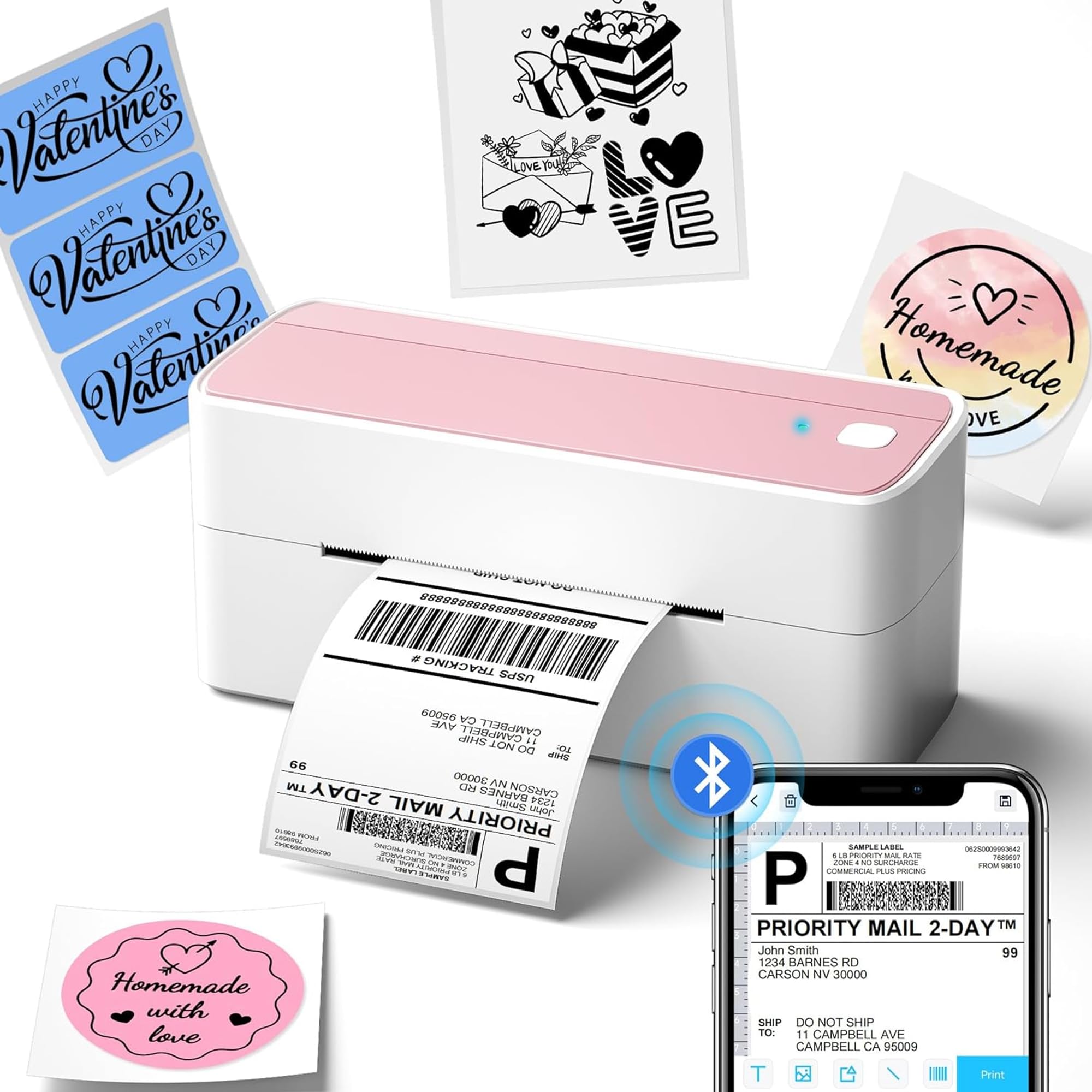
Choose the 241BT if standard shipping labels are central to your routine and you want a printer designed for that format. The M220 is a better fit for varied smaller labels and its Print Master app tools.
- The 241BT supports label widths from 1 to 4.6 inches, including 4 × 6-inch labels, and offers Bluetooth and USB printing.
- It prints monochrome and uses the Labelife app and drivers.
- The M220 supports labels up to 3.14 inches wide and cannot print standard 4 × 6-inch shipping labels.
Battery-focused alternative
14,000+ ratings
Read Amazon ReviewsNIIMBOT D110 Label Maker
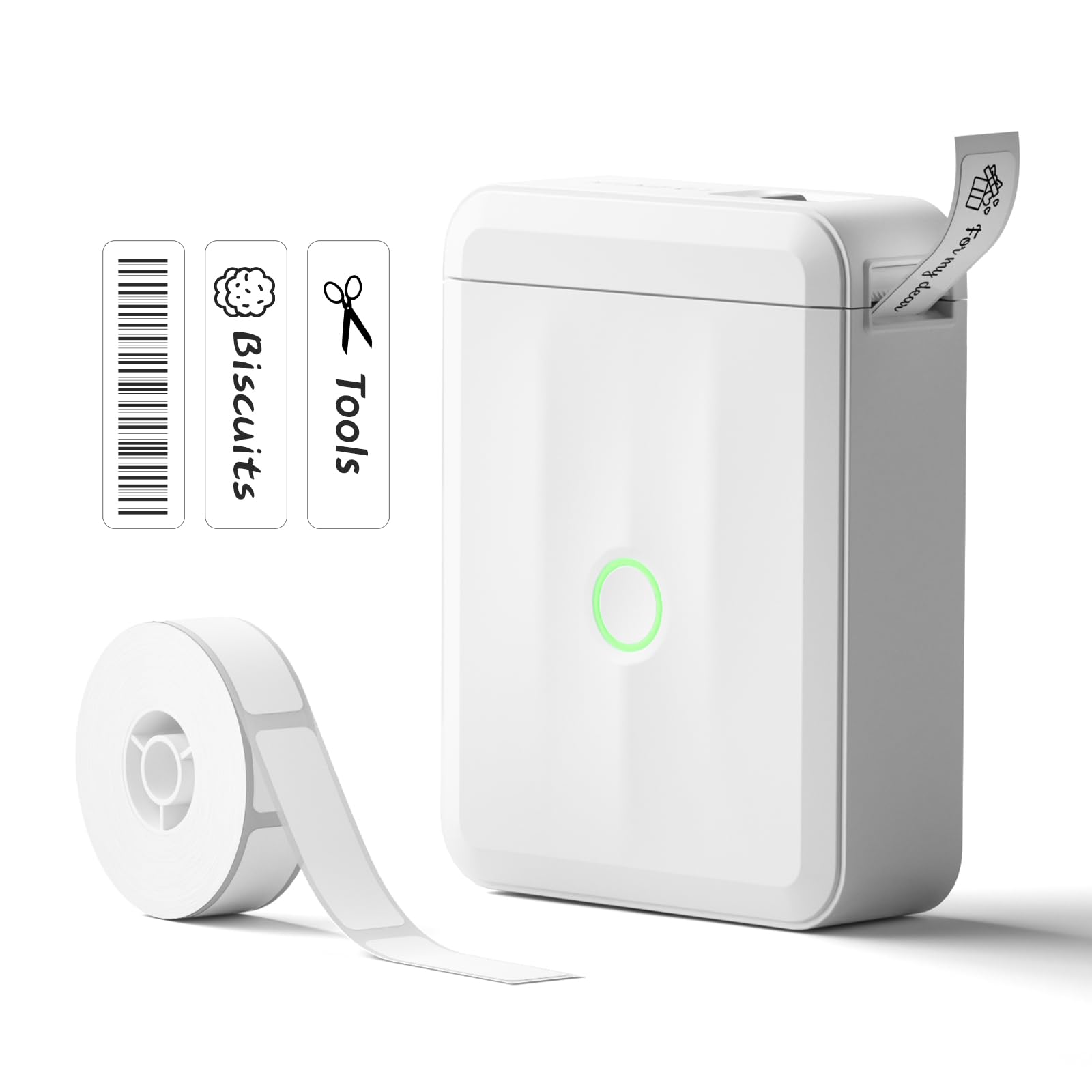
Consider the D110 if your needs center on basic labels printed from a phone and you do not need computer connectivity. The M220 provides a wider label range and a computer connection for buyers with more varied workflows.
- The D110 is a compact, phone-focused thermal label maker with Bluetooth, a rechargeable battery, batch printing, and support for iOS and Android. It does not work with computers.
- The M220 supports label widths up to 3.14 inches and connects to compatible computers as well as phones and tablets.
Is Phomemo M220 Worth It?
The Phomemo M220 Label Maker is worth considering for home organizers and small businesses that need flexible label widths, app-based design tools, and both mobile and computer printing. Its thermal system also avoids ink and toner upkeep.
Check your required label width and computer operating system before choosing it. The M220 is not suited to standard 4 × 6-inch shipping labels, and Linux users will need another option.
Your review at a glance
700+ ratings
Read Amazon ReviewsPhomemo M220 Label Maker
A fit for home organizers and small sellers who need wider labels, phone or computer printing, and flexible barcode tools.
- Prints on thermal labels from 0.78 to 3.14 inches wide; it does not support 4 × 6-inch shipping labels.
- Direct thermal printing uses no ink, toner, or ribbon.
- Connects to phones and tablets over Bluetooth and to computers over USB.
- Computer support includes Windows, macOS, and Chrome OS; Linux is not supported.